

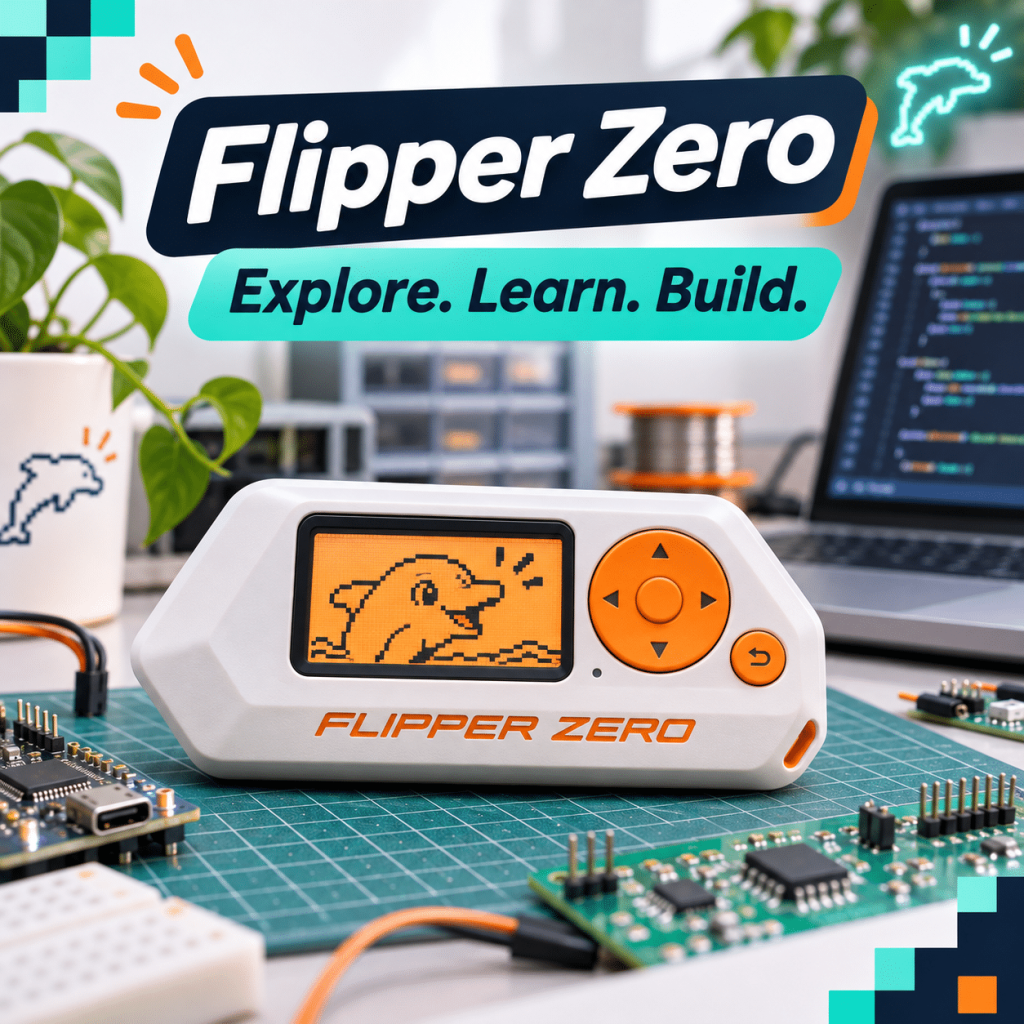
Flipper Zero is best understood not as a single-purpose remote or card reader, but as a compact tool for exploring several kinds of digital interfaces. The device combines radio, infrared, RFID, NFC and wired hardware features in one handheld unit. Flipper’s product information presents it as a customizable, open-source multi-tool for people interested in access systems, wireless protocols and hardware development. Flipper makes the device, which can be operated on its own or connected to a computer or phone for additional control.
That breadth gives the product a particular shape: users can begin with familiar devices such as a television remote or proximity card, then move toward questions about how signals are stored, transmitted or connected to electronics. The source describes capabilities for reading, saving, emulating and, in some cases, writing data. Those functions vary by interface and by the kind of tag or key involved, so the device is not a universal pass for every system. Its value as a learning tool lies in having several distinct interfaces together, with a screen and physical controls for using them.
One handheld device, several interfaces
The Flipper Zero’s basic controls are deliberately self-contained. A five-button directional pad and back button navigate its monochrome 128-by-64-pixel LCD menu, while a status LED and buzzer provide additional feedback. Flipper says the main features can be accessed without a computer or smartphone. USB Type-C and Bluetooth Low Energy offer other ways to connect when a larger screen or computer-based workflow is useful.
Its physical format is small enough to carry: the listed dimensions are 100 by 40 by 25 millimeters, and its weight is 102 grams. The case is made from PC, ABS and PMMA, according to the specifications. The manufacturer describes the design as a practical alternative to exposed do-it-yourself circuit boards, with a case, buttons and a screen intended for everyday handling. The LCD is a monochrome display rather than a color screen, and the site lists a 2,100 mAh lithium-polymer battery with a stated maximum life of up to 28 days. That figure is a specification, not a guarantee for every pattern of use.
Under the casing, the STM32WB55RG system uses an ARM Cortex-M4 application processor and an ARM Cortex-M0+ radio processor. The product page lists Bluetooth LE 5.4, 1 MB of flash shared between application and radio functions, and 256 KB of shared SRAM. A microSD slot provides storage for items such as signal data, apps, dictionaries, image assets and logs. Flipper lists support for cards up to 256 GB and FAT12, FAT16, FAT32 and exFAT file systems; its getting-started information says a card is required and is not included with the device.
Wireless signals and proximity credentials
For Sub-1 GHz work, the device uses a CC1101 transceiver and an integrated multiband antenna. The listed frequency bands depend on region and include 315, 433, 868 and 915 MHz; another product description summarizes support as 315–900 MHz. The company describes this range as relevant to a broad class of wireless devices, including garage remotes, barriers, sensors and remote keyless systems. The listed functions include reading and decoding signals, saving them to the card, inspecting raw signal data and generating remotes. These capabilities concern compatible protocols and signals; they should not be taken to mean that every radio system can be read or reproduced.
Flipper Zero also includes a 125 kHz RFID antenna for low-frequency proximity cards and a 13.56 MHz NFC module for high-frequency tags. The product pages describe reading and saving supported credentials, with emulation available for listed formats. Writing is more limited: the specification refers to writing only rewritable cards or keys. The pages list multiple supported families, including EM and HID formats for RFID and MIFARE, FeliCa and HID iClass among NFC examples. Compatibility depends on the credential’s technology and configuration, rather than simply on its appearance or use as an access card.
The distinction between reading, saving, emulating and writing matters in practical use. A saved identifier is not necessarily equivalent to a credential that can authenticate with a particular system. The source describes some older low-frequency cards and 1-Wire keys as lacking authentication, but that description should not be generalized to every card, fob or access installation. Anyone experimenting with access equipment should limit tests to devices they own or have explicit permission to examine. The product’s ability to interact with a signal is not evidence that a system is intended to accept it.
Infrared, buttons and a library of signals
Infrared is one of the more familiar parts of the device’s feature set. Its transmitter can send commands to electronics such as televisions, air conditioners, projectors and stereo systems. Flipper says the device includes a library of signals for common brands, and that the community contributes additional signals to a shared remote database. An infrared receiver can also learn a signal from an existing remote and save it for later use. This makes the device useful for organizing compatible commands in one place, though the source does not claim that every appliance or command will be supported.
These infrared functions illustrate how Flipper Zero combines two approaches: using stored information and capturing information from a device nearby. For someone trying to understand a remote, the ability to receive and save a signal can be a starting point for investigation. For ordinary control tasks, stored commands can be selected from the device’s menu. In either case, the monochrome screen and directional pad are the direct interface, while the memory card supplies space for data beyond the device’s built-in controls.
From handheld exploration to hardware development
The product is not limited to wireless communication. Thirteen GPIO input/output pins are available through external 2.54-millimeter connectors, with 3.3-volt logic and inputs described as 5-volt tolerant. Flipper lists hardware experimentation, firmware flashing, debugging and protocol fuzzing among the uses for these connections. The device can run code and display debug messages on its LCD, and its built-in 3.3-volt and 5-volt power pins allow some work to happen without a separate computer controlling the unit.
For desktop workflows, the site describes using Flipper Zero as a USB adapter for interfaces including UART, SPI and I2C. It also lists tools for SPI flash programming, AVR ISP programming and OpenDAP, as well as the ability to communicate with hardware from a desktop application. These are development-oriented functions: they give a user ways to connect, observe or test compatible electronics. They do not remove the need to understand the target circuit, its voltage requirements or the consequences of sending signals to it.
A built-in 1-Wire contact interface supports reading iButton keys, saving identifiers, emulating keys and writing to rewritable examples. The product page lists Dallas DS199x, DS1971, CYFRAL, Metakom, TM2004 and RW1990 among supported protocols or types. Its contact pad is shaped to work as both a reader and a probe for iButton sockets. As with the other credential interfaces, the listed support describes specific technologies; it is not a claim that every contact key can be duplicated or used interchangeably.
How the ecosystem changes the experience
Flipper describes the firmware as fully open-source and the device as customizable. The site also points to additional apps and community-contributed infrared signals, making software and shared data part of the product’s broader environment. The included microSD slot is important here: it stores signal databases and other assets, rather than serving only as general-purpose file storage. A user can also connect the device over USB or Bluetooth LE, depending on the task.
Flipper’s iOS and Android apps are described as supporting firmware updates over Bluetooth LE, remote control, key sharing and management of data on a larger screen. The mobile connection is optional for basic operation, since the device has its own controls and display. The product therefore supports two different modes: a stand-alone handheld tool for navigating its main menu, and a companion workflow for people who want to manage data or interact through another device.
The company’s catalog includes accessories and add-ons alongside Flipper Zero. It lists a WiFi Devboard based on an ESP32 module, a Video Game Module powered by Raspberry Pi, prototyping boards, a silicone case, screen protectors and a 16 GB microSD card. These are separate products, not built-in capabilities of the handheld unit. The supplied-device information says the package includes the Flipper Zero, a user manual and a USB-A-to-USB-C cable; the microSD card is required but not included.
A sensible way to approach the device
For a newcomer, a clear starting sequence is to install a compatible microSD card, update the firmware, then choose one familiar system to explore. Flipper’s own setup guidance suggests trying cards, fobs and remotes, followed by scanning, saving and controlling compatible signals. Starting with equipment you own keeps the exercise concrete and gives you a known reference: you can compare a command on the original remote with what the device records, or examine a tag without involving someone else’s access system.
More technical work can build from there. GPIO connections offer a route into hardware experiments; the Sub-1 GHz, NFC and RFID components expose different kinds of wireless communication; infrared provides a relatively approachable example of a one-way remote-control signal. Each interface has its own standards, frequency range and limitations. A careful user will check which technology is actually present before assuming a feature applies, and will treat capture or emulation as a way to study compatible systems rather than as proof of universal compatibility.
Flipper Zero’s defining idea is consolidation. Instead of carrying a separate display, buttons and interface for every exploration task, it puts several tools in one portable enclosure and leaves room for additional software and stored data. Its mix of everyday-style controls and development connections is unusual: the same unit can handle a saved infrared command, inspect a supported proximity credential or connect to a circuit through GPIO. The breadth is real, but so are the boundaries set by protocols, rewritable media, regional frequencies and the design of the system being examined. Read that way, Flipper Zero is less a magic key than a pocket-sized environment for learning how particular digital systems communicate.
Sponsored by Gabal Global Group, with publishing tools from CheapPlugins.